


| Window Manager | bspwm |
| Hotkeys daemon | sxhkd |
| Status bar | polybar |
| Terminal | alacritty |
| Launcher | rofi |
| Wallpaper | feh |
| Compositor | picom |
| Screenshot | maim |
| Viewer | imv |
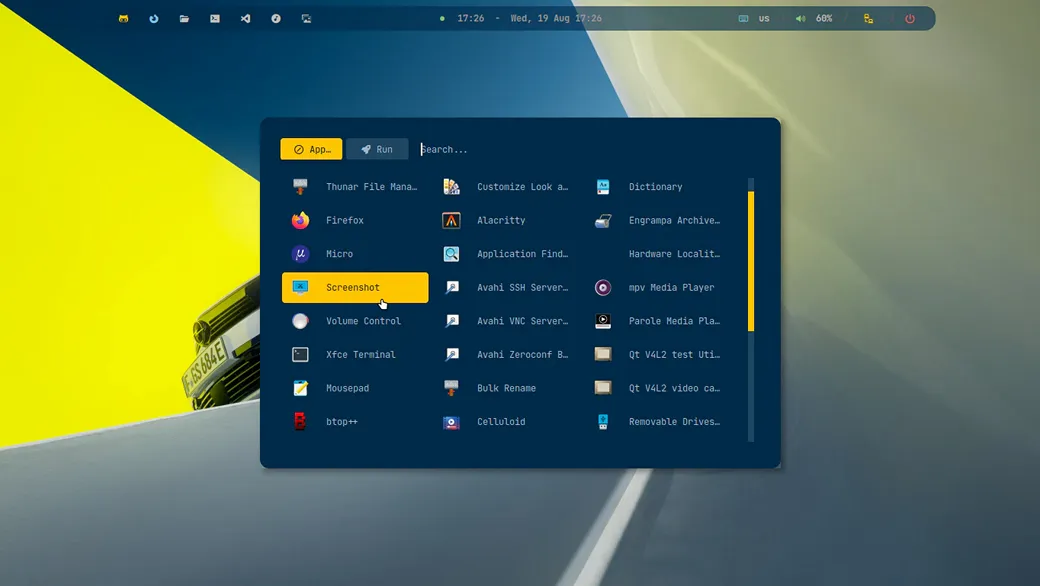
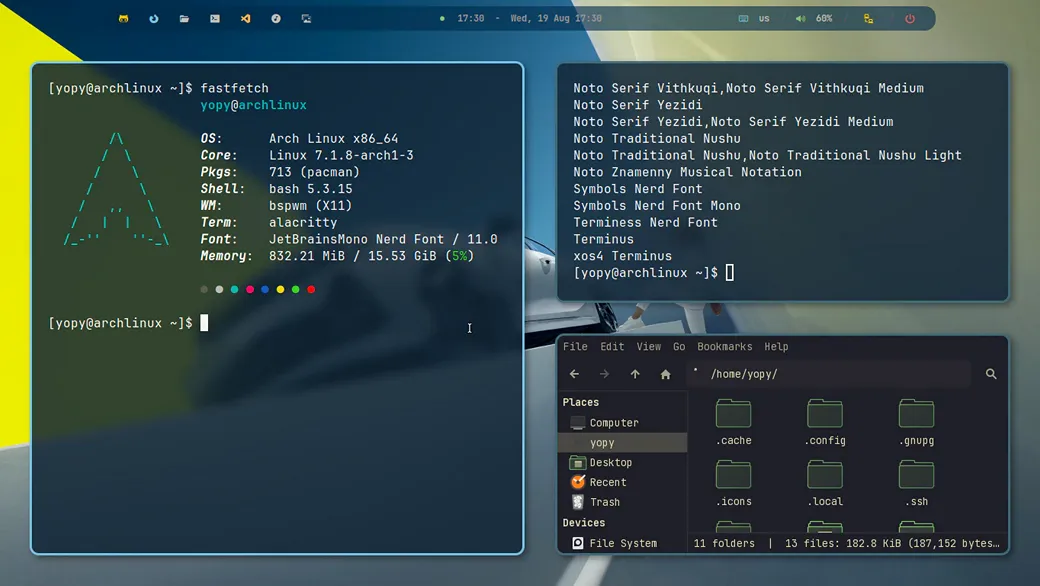
Fonts
Symbols Nerd Font - icons, interface, development.
JetBrains Mono - system font and interface.
Clear Sans 10 - System Font
Gruvbox Dark - Theme
Gruvbox - Icons
🧼 Installation
1. Boot to the Arch iso
archinstall

on the step - profile - select > desktop > bspwm
2. After installing > reboot and update system
sudo pacman -Syu

sudo pacman -S \
    xorg-server \
    xorg-xinit \
    xorg-xrandr \
    xorg-xset \
    xorg-xsetroot
3. Installing BSPWM
sudo pacman -S \
bspwm \
sxhkd \
   alacritty \
   polybar \
   rofi \
   picom \
   feh \
   maim \
   slop \
   xclip \
   dunst \
   i3lock
[!IMPORTANT] Give execution rights to configuration scripts:
chmod +x ~/.config/bspwm/bspwmrc
chmod +x ~/.config/polybar/launch.sh
4. Installing Pkgs
sudo pacman -S \

alacritty \
   micro \
   mousepad \
   firefox

thunar \
   thunar-archive-plugin \
   thunar-volman

fastfetch \
   mc \
   xarchiver \
   tumbler \
   btop

p7zip \
   unzip \
   zip \
   tar \
   atool

wget \
   git \
   curl \
   gvfs \
   udisks2 \
   ntfs-3g

xdg-utils \
   ripgrep \
   zoxide \
   xfce4-screenshooter

imv \
   celluloid \
   rhythmbox \
   imagemagick \
   ffmpeg \
   lxappearance
5. Installing FISH
sudo pacman -S \
fish \
   eza \
   fzf \
   fd

chsh -s $(command -v fish)
Home Structure
~/
├── Pictures/
├── Screen/
├── icons/
├── themes/
├── .local/share/fonts/
└── .config/
    ├── bspwm/
    ├── sxhkd/
    ├── polybar/
    ├── rofi/
    └── picom/
Used Dots, Icons, Themes, Wallpapers
[!NOTE] yojeero/config_linux
Hide/show Polybar
[!TIP] use keybinding
super + b
Folder for screenshots
[!TIP] Create folder Screen for saving screenshots via maim.
Login TTY
.xinitrc
[!TIP] at the end > insert
exec bspwmconfig.fish
[!TIP] at the end > insert
if status is-login
    if test -z "$DISPLAY" -a (tty) = "/dev/tty1"
        exec startx
    end
end
Login Bspwm
[!TIP] Arch Linux > login > pass
BSPWM Cobalt download from the GitHub.