


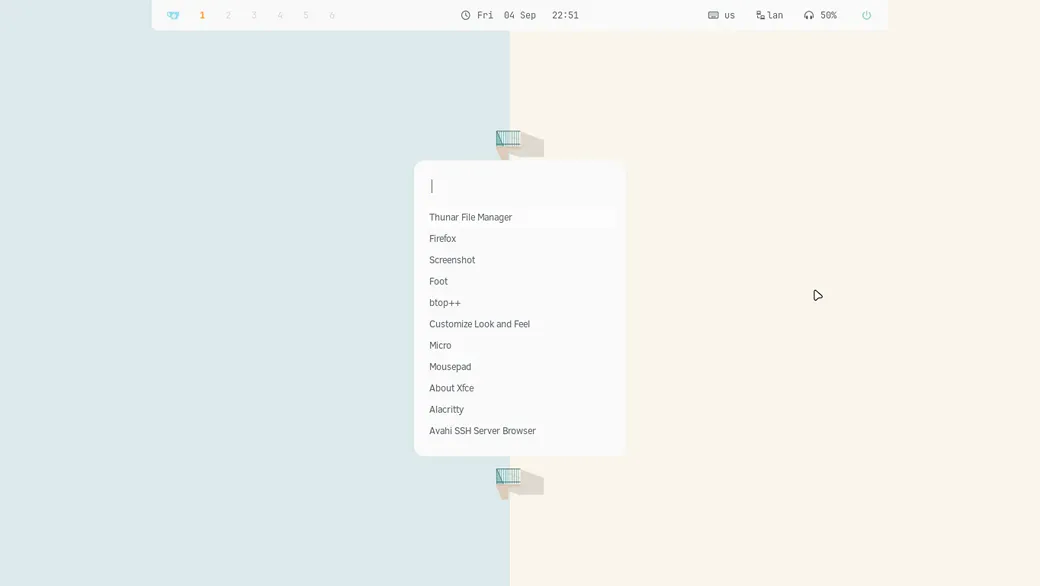
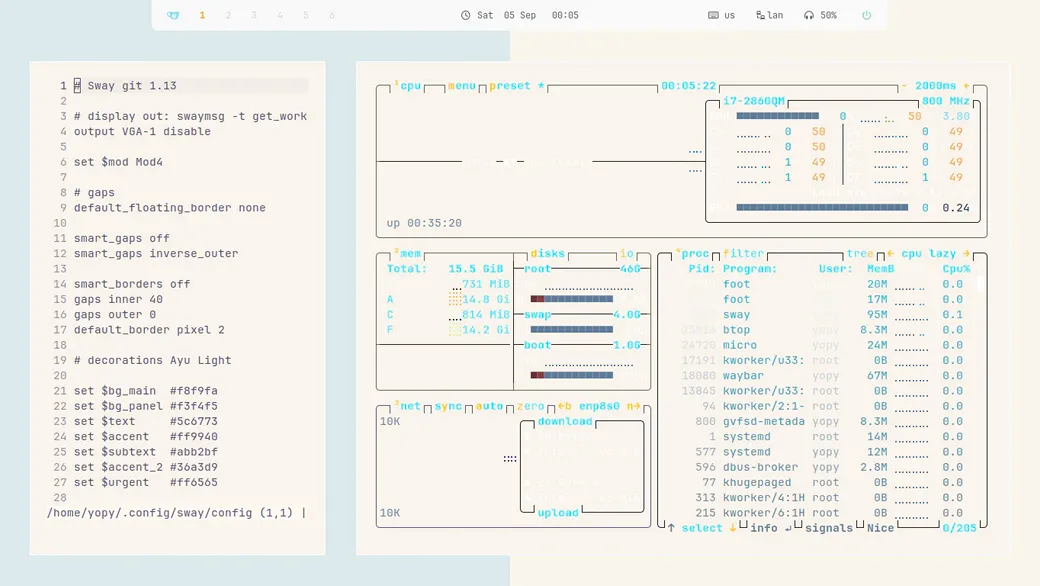
[!TIP] Waybar is visible > gaps in 40 > normal mode
Waybar is hide >super + g> gaps in 0 > working mode
| Window Manager | sway |
| Status bar | waybar |
| Terminal | foot |
| Launcher | fuzzel |
| Wallpaper | swaybg |
| Compositor | wayland |
| Screenshot | grim |
| Viewer | imv |
| Logout menu | wlogout |
Fonts
Symbols Nerd Font - icons, interface, development.
JetBrains Mono - system font and interface.
Clear Sans 10 - System Font
Zorin-Light - Theme
Gruvbox - Icons
🧼 Installation
1. Boot to the Arch iso
archinstall

on the step - profile - select > desktop > sway
2. After installing - Reboot and update system
sudo pacman -Syu

sudo pacman -S \
      xorg-xwayland \
      seatd \
      polkit
[!IMPORTANT] sudo systemctl enable –now seatd sudo usermod -aG seat $USER
3. Installing Sway
sudo pacman -S --needed base-devel git
git clone https://aur.archlinux.org/paru.git
cd paru
makepkg -si

paru -S \
sway-git \
   wlroots-git \
   waybar-git \
   swaylock \
   swayidle \
   swaybg \
   wl-clipboard \
   wlogout \
   fuzzel \
   foot \
   mako \
   grim \
   slurp \
   xdg-desktop-portal-wlr \
   xdg-desktop-portal-gtk \
   nwg-look
4. Installing Pkgs
paru -S \

alacritty \
   foot \
   micro \
   mousepad \
   firefox

thunar \
   thunar-archive-plugin \
   thunar-volman \
   xfce4-terminal

fastfetch \
   mc \
   xarchiver \
   tumbler \
   btop

p7zip \
   unzip \
   zip \
   tar \
   atool

wget \
   git \
   curl \
   gvfs \
   udisks2 \
   ntfs-3g

xdg-utils \
   ripgrep \
   zoxide \
   xfce4-screenshooter

imv \
   celluloid \
   rhythmbox \
   imagemagick \
   ffmpeg
5. Installing FISH
paru -S \
fish \
   eza \
   fzf \
   fd

chsh -s $(command -v fish)
Home Structure
~/
├── Pictures/
├── Screen/
├── icons/
├── themes/
├── .local/share/fonts/
└── .config/
    ├── sway/
    ├── waybar/
    ├── fuzzel/
    └── foot/
Used Dots, Icons, Themes, Wallpapers
[!NOTE] yojeero/config_linux
Folder for screenshots
[!NOTE] Create folder Screen for saving screenshots via grim.
Login TTY
[!NOTE] Sway > use Bash or ZSH or FISH
.bash_profile
if [[ -z $DISPLAY && $XDG_VTNR -eq 1 ]]; then
  exec sway
fi
.zprofile
if [ -z "${DISPLAY}" ] && [ "${XDG_VTNR}" -eq 1 ]; then
  exec sway
fi
config.fish
if status is-login
    if test (tty) = /dev/tty1

        set -gx XDG_CURRENT_DESKTOP sway
        set -gx XDG_SESSION_DESKTOP sway
        set -gx XDG_SESSION_TYPE wayland
        set -gx MOZ_ENABLE_WAYLAND 1
        set -gx QT_QPA_PLATFORM wayland

        set -gx _JAVA_AWT_WM_NONREPARENTING 1

        exec sway
    end
end
Login Sway
[!TIP] Arch Linux > login > pass
Sway Latte download from the GitHub.